Scope Creep on WhatsApp: Keep a Change Log from the Chat
"Just one small change" sent on WhatsApp, twenty times. How to turn a client chat into a dated list of every change request, so the extra work is visible when you quote it or charge for it.
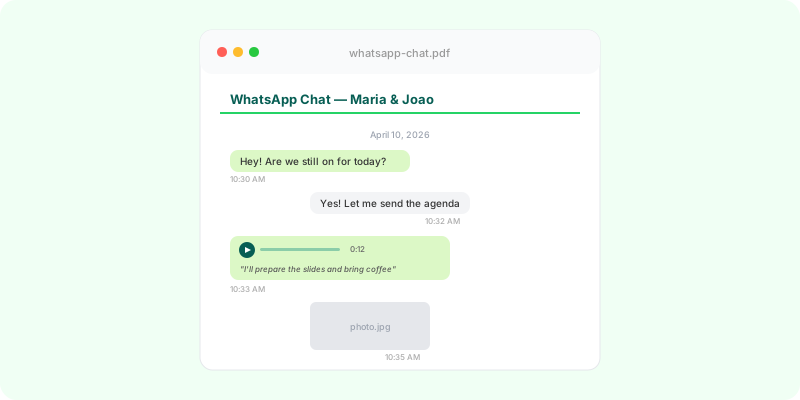
Nobody sends a message saying “please double the project”. It arrives as “could you also…”, a photo with a circle, a voice note on a Sunday. Spread across weeks of WhatsApp, the extra work is invisible, until you need to charge for it.
Build the change log #
Start from the original brief or quote. Then go through the chat and list every request that isn’t in it:
| Date | Request | Where |
|---|---|---|
| 14 Mar | add a second language to the site | p. 6, voice note |
| 21 Mar | redo the homepage photos | p. 9 |
| 2 Apr | extra round of revisions on the logo | p. 13 |
Three columns are enough: when, what, where in the chat.
Getting the chat into a form you can work from #
- Export the chat with media, so voice notes and annotated photos come along (Android, iPhone).
- Turn it into a document with page numbers. Zap2Doc produces a chronological PDF with every message, the photos in place and voice notes transcribed, so a request explained in audio is readable and has a page your log can cite.
- Read through it once with the brief beside you, and fill in the table.
Use it with the client #
- Before quoting extra work: send the list. It frames the conversation around facts.
- At the end of the project: attach it to the final invoice for anything billed as extra.
- In a dispute: the list plus the PDF lets anyone check each line.
Stop it next time #
Reply to each new request in the chat with the scope and price: “That’s outside the quote; it would be $600 and two more days. Shall I go ahead?” The answer becomes the next line in your log. See also proof of work for freelancers.