Freelancer Proof of Work: Keep Your Client Chats on Record
For freelancers whose briefs, approvals and deliveries happen on WhatsApp: what to keep from each client chat, when to export it, and how to turn it into a record of what was asked, delivered and approved.
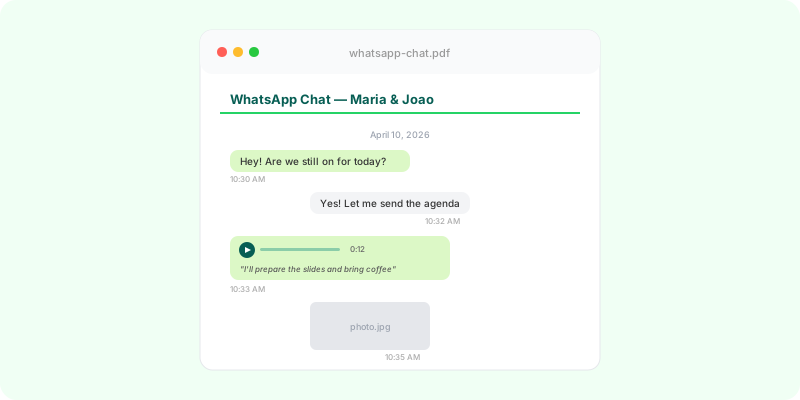
For many freelancers, WhatsApp is the project management tool: the brief arrives as voice notes, changes come as photos with arrows, and approval is a thumbs-up at 11 p.m. That works until a client says they never asked for it, never approved it, or never received it.
What to keep from every project #
- The brief: the first messages, voice notes and reference images.
- The quote and its acceptance.
- Every change request, with its date. These matter most when scope grows; see scope creep on WhatsApp.
- Deliveries: files sent, links shared, “here’s the final version”.
- Approvals: “perfect”, “approved”, “send the invoice”.
- Payments and reminders.
A simple routine #
- Export at the end of every project, with media (Android, iPhone).
- Name the file with the client and project:
2026-08 Acme website.zip. - Store it with the project files and the invoice.
- Export again immediately if a disagreement starts, before anything gets deleted.
Confirm in writing as you go #
A habit that saves arguments: after a call or a voice note with decisions, send a two-line typed summary in the chat. “Confirming: logo in green, two more revisions included, delivery Friday.” It turns a spoken decision into a dated written line.
When a dispute starts #
Turn the export into something the client, a mediator or a lawyer can read. Zap2Doc produces a chronological PDF with every message, the client’s reference photos in place, voice notes transcribed and numbered pages, so you can say “the approval is on page 14”. You see a free preview before paying.
If the client is also late paying, see build a payment trail from WhatsApp. If you handle many client chats, Zap2Doc for Business converts them in batches.