Extract Action Items from a WhatsApp Chat: Who, What, By When
Work gets agreed in WhatsApp and then forgotten. How to pull the action items out of a chat, with owner, deadline and status, and how to tell a real commitment from a passing 'sure'.
“Can you send the revised quote by Friday?” “Sure.” That’s a task, an owner and a deadline, in two messages, between a photo of a cat and a voice note about lunch. Multiply that by a month of a project group and nobody knows any more what’s still owed.
What counts as an action item #
An action item has three parts:
- what has to happen (send the quote, book the venue, pay the deposit);
- who said they would do it;
- by when, if a date or a relative deadline (“by Friday”, “after the inspection”) was given.
And one more that WhatsApp never shows: status. Was it done? The only reliable answer is a later message that says so: “sent”, “paid, here’s the receipt”, “booked for the 12th”.
Doing it by hand #
- Search the chat for “can you”, “will”, “I’ll”, “by”, “deadline”, “tomorrow”, weekday names.
- For each hit, note the request, the person who accepted, and the date.
- Search for a confirmation later in the chat.
- Keep the list in a table: task · owner · deadline · status · date of message.
Works for a short chat. In a long one you’ll miss commitments phrased differently, and anything agreed in a voice note.
With a briefing #
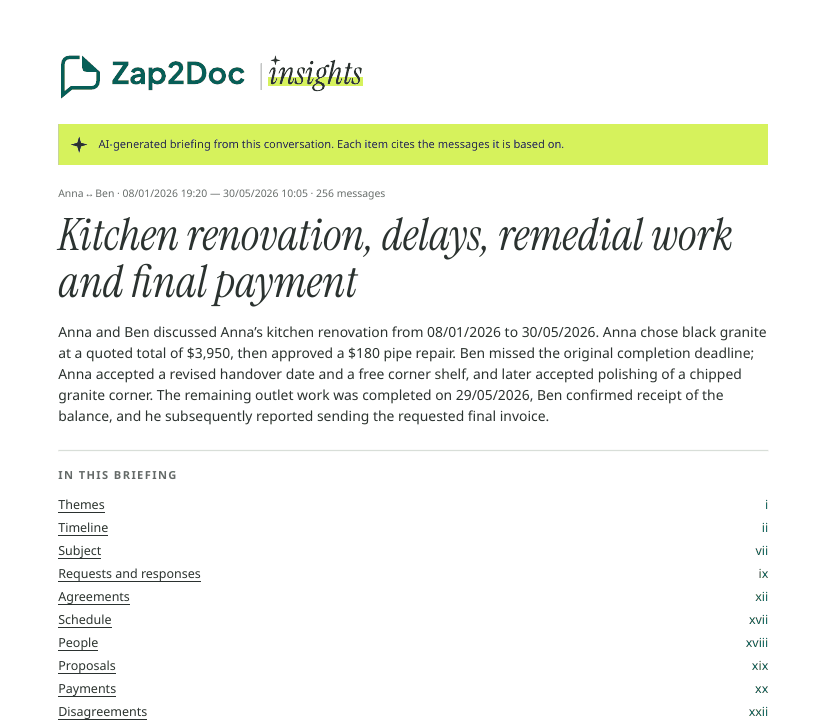
Zap2Doc Insights reads the whole export, voice notes included, and lists:
- agreements: consequential decisions and promises, who agreed, the amount or deadline as written, and a status of fulfilled, pending or unclear;
- requests: what someone asked for and the answer it got (or that no answer is shown);
- schedule: meetings, deliveries and reschedules with when and where;
- open points at the last message.
Each item cites the messages behind it, including the later message that shows it was done. A promise with no later confirmation stays unclear; the briefing doesn’t assume it was kept. Deadlines are copied as written, so “by Friday” stays “by Friday” instead of a guessed date.
Make the list useful #
- Assign the unclear ones. Unclear doesn’t mean undone, it means nobody confirmed it in the chat. Ask.
- Send the list back to the group. A short “here’s what I have, correct me” message fixes misunderstandings early.
- Keep the source. When someone says “I never agreed to that”, the cited message is one tap away in the PDF.
Related: keep a decision log from WhatsApp and stop scope creep with a WhatsApp change log.