Turn a WhatsApp Conversation into Meeting Minutes
When the 'meeting' happened in WhatsApp, you still need minutes. A meeting-minutes template for chat discussions, what to include, and how to build them from an export with voice notes.
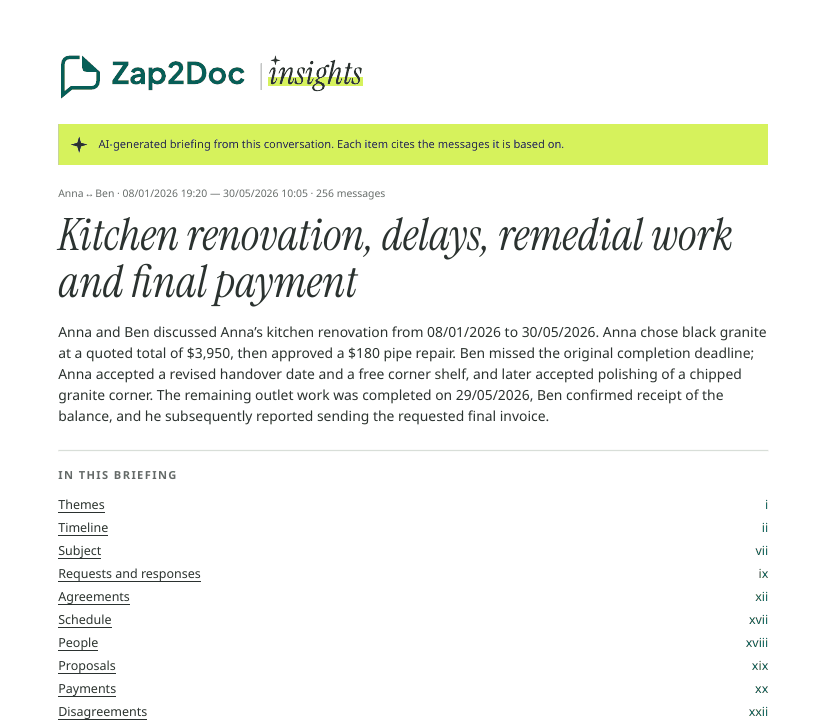
Plenty of “meetings” now happen in WhatsApp: a committee group that debates for two evenings, a team thread before a launch, a family deciding about a parent’s care. Nobody took notes, but everybody will later remember the outcome differently.
A minutes template for chat discussions #
Subject: what was discussed Period: first and last message date Participants: who took part (and their role)
- Summary: two or three sentences on what was discussed and where it ended.
- Decisions: each one with who agreed and the date.
- Action items: task, owner, deadline.
- Open questions: what still needs an answer.
- Disagreements: if any remain, each side’s position in one line.
- Next step: date of the next discussion or deadline.
Filling it from the chat #
- Export the chat with media if voice notes were used (Android, iPhone).
- Limit it to the meeting. Only the days of the discussion, not the whole group history.
- Pull out the decisions, then the tasks, then the questions nobody answered.
- Write in neutral, third person. “Maria proposed…”, “João objected…”.
Using Insights as the first draft #
Zap2Doc Insights maps almost one to one onto that template:
| Minutes section | Briefing section |
|---|---|
| Summary | Overview and themes |
| Participants | People (for groups) |
| Decisions | Agreements |
| Action items | Agreements, requests and schedule |
| Open questions | Open points |
| Disagreements | Disagreements |
Set the date range to the discussion in the free preview. The briefing is written in the language of the chat, neutral and in the third person, with every item linked to its message. For each theme you can copy a ready prompt and paste it, with the Insights PDF, into ChatGPT, Claude or Gemini to reformat it into your organization’s template.
Before you send them #
- Check every decision against its message. One tap in the PDF.
- Remove what doesn’t belong. Side conversations and personal remarks stay out of minutes.
- Ask for corrections within a set time. Then they become the agreed record.
Related: keep a decision log · write the follow-up email.