WhatsApp Voice Transcripts: Supported Languages
Android's on-device list is a fraction of the iPhone's — German, French and Italian aren't on it. Where the pack lives, and what to do when yours isn't.
Almost everyone who searches for WhatsApp’s transcript languages is trying to settle one of two questions: is my language on the list? and where is the language pack? Both have short answers — and for a large share of readers the honest one is that the option they’re hunting for doesn’t exist on their phone at all.
Is your language on WhatsApp’s list? #
WhatsApp generates these transcripts on your device, so that nobody — WhatsApp included — can read them. That design choice is also why the language list belongs to the phone rather than to WhatsApp, and why the two platforms aren’t remotely close.
Checked August 2026:
| Languages available for voice message transcripts | |
|---|---|
| iPhone (iOS 16+) | 20+, including English, Spanish, French, German, Italian, Portuguese, Russian, Turkish, Japanese, Korean, Chinese and Arabic — plus Danish, Dutch, Finnish, Hebrew, Malay, Norwegian, Swedish and Thai on iOS 17+ |
| Android | Far shorter — English, Spanish, Portuguese and Russian from launch, with a handful such as Hindi and Arabic added since |
WhatsApp keeps the live list in its own help centre and adds to it over time, so treat the table as a snapshot rather than a contract.
That gap is the entire answer for a lot of people who land here. If you’re on Android and your language is German, French, Italian, Dutch, Polish, Turkish or Japanese, you haven’t misconfigured anything — the option isn’t there to configure.
Portuguese is the opposite case, and it’s why “supported languages portuguese” is such a common search: it is on the Android list, and WhatsApp doesn’t split it into pt-BR and pt-PT. Being listed only means a pack exists to download — the download still has to finish and the model still has to run.
Where the language pack actually lives #
Inside WhatsApp, not in Android’s settings:
WhatsApp → Settings → Chats → Voice Message Transcripts → pick a language → let the pack download (roughly 100–150 MB).
That is a different list from Android Settings → System → Languages & input → On-device speech recognition, which belongs to the OS speech engine. The two are confused constantly, and downloading a pack in one place does nothing for the other. If your language shows up in WhatsApp and transcription still fails, the next section is the one you want.
If it isn’t listed at all, no amount of configuring will add it. What works then is moving the transcription off the phone entirely — skip to that.
Why the standard fixes silently fail #
The standard advice — install Speech Services, update WhatsApp, download a language pack, clear cache — works for the simple case (Pixel or Galaxy on a supported language). It silently fails in three situations the troubleshooting guides rarely admit:
1. Your phone doesn’t have Google Mobile Services at all. Speech Services by Google is gated behind GMS. If you’re on Huawei post-2019 (HarmonyOS / EMUI without GMS), GrapheneOS, /e/OS, LineageOS without MicroG, or some Android builds shipped in China and Russia — the Play Store will say “not available for your device” and there’s no clean way to install it. Reflashing GMS voids your warranty for one feature.
2. Your language isn’t in Speech Services’ on-device list. This list is much shorter than what Google supports server-side. If your language isn’t under Settings → System → Languages & input → On-device speech recognition, no amount of clearing cache will help — the model literally doesn’t exist on your phone. Common gaps include several South Asian languages, smaller European languages, and most African languages.
3. The transcript exists but you can’t do anything with it. Even when on-device transcription works, the transcript is locked inside the WhatsApp app. You can’t search across a whole conversation, can’t export it as a document, can’t share it with a lawyer or HR, can’t keep it after clearing the chat. For most people who land on this error, the transcript itself was never the goal — they wanted a record of the conversation.
If any of those three describe you, the on-device approach isn’t going to work no matter how many times you reinstall Speech Services. You need the work to happen somewhere else.
The server-side bypass #
Instead of asking your phone to transcribe, export the WhatsApp chat as a .zip and let a server do the work. That’s what Zap2Doc does:
- Export the chat from WhatsApp — works on any phone, any Android version, any OS. You get a
.zipcontaining every voice message as an audio file. (Android guide · iPhone guide) - Upload the
.zip. The server extracts every.opusvoice message and runs each one through OpenAI’s transcription models. - Download a PDF with every voice message paired with its transcript, in chronological order, ready to read, search, share, or print.
Because the transcription runs server-side, it doesn’t matter what phone you have. Huawei without GMS, GrapheneOS, an old Android, an iPhone — they all produce the same .zip, and OpenAI’s transcription handles the rest.
You don’t pay to find out whether it worked: uploading is free, and you see a watermarked preview of the finished document — transcripts and all — before deciding to buy.
What the transcript looks like #
In the PDF, voice messages render with the audio metadata followed by the transcript as a readable quote:
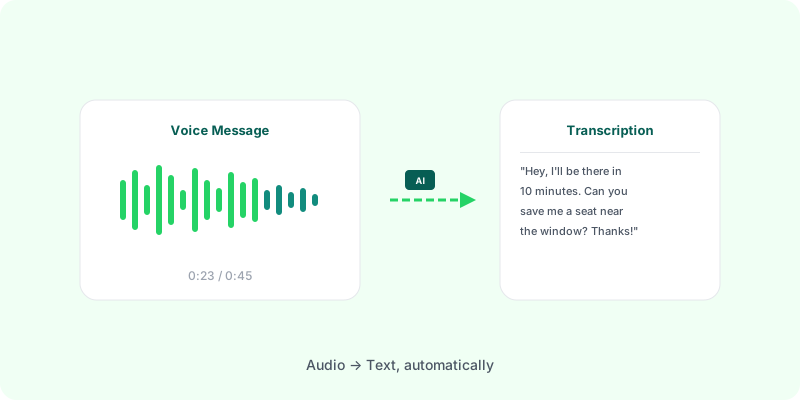
[Voice message — 0:23] “Hey, just checking in. Are we still meeting Thursday? Let me know if the time works for you.”
It reads like a normal chat — except the audio content is now part of the searchable text. Multilingual chats work because OpenAI’s transcription auto-detects the language per voice message, not per chat. If it’s the finished document you’re after rather than the WhatsApp setting, the transcription-to-PDF tool is described in full here — output, timing, accuracy and cost. If the chat also has photos you need kept next to the messages, see a WhatsApp chat as a PDF with images. And for the conversion itself, from the export on your phone to the finished file, see how to convert a WhatsApp chat to PDF.
How it compares to Speech Services #
| Speech Services by Google | Zap2Doc (server-side) | |
|---|---|---|
| Works on Huawei / GrapheneOS / no-GMS Android | No | Yes |
| Works on iPhone | N/A — iOS uses a different path | Yes |
| Languages | What you’ve downloaded | 50+ auto-detected |
| Where the transcript lives | Inside the WhatsApp app | In a PDF you keep |
| Survives clearing the chat | No | Yes |
| Searchable across whole conversation | No | Yes |
| Shareable as a document | No | Yes |
| Cost | Free (when it works) | Free preview — pay only to download |
OpenAI’s transcription covers 50+ languages and dialects including English, Portuguese, Spanish, French, German, Italian, Hindi, Arabic, Japanese, Chinese, Russian, and dozens more. Every voice message in the chat is transcribed. Clean speech in major languages typically lands at 95%+ accuracy.
Quick checklist if you haven’t tried the basics yet #
If you landed here without trying anything yet, run through these first — most people on Pixel or Samsung Galaxy with a supported language are unblocked at step 1 or 3:
- Install or update Speech Services by Google from the Play Store (publisher: Google LLC).
- Update WhatsApp to 2.24.17.77 (Android) or newer via the Play Store.
- Download your language pack under Android Settings → System → Languages & input → On-device speech recognition.
- Clear cache and reboot under Settings → Apps → Speech Services by Google → Storage → Clear cache (don’t clear data — that wipes your language packs).
If you want a deeper walkthrough with every error variant and OEM-specific notes, see our full Speech Services by Google troubleshooting guide. And if those four steps don’t fix it for you, the bypass above is what unblocks you.
FAQ #
Does this work on Huawei / HarmonyOS / de-Googled Android?
Yes. Server-side transcription doesn’t care what Android version or app stack you have — as long as you can export a WhatsApp .zip and upload it.
Does this work on iPhone?
Yes. iOS exports a .zip the same way Android does.
Is Portuguese supported? What about Portuguese (Brazil)? Portuguese is on Android’s on-device list, and iOS covers it too. WhatsApp doesn’t split the list by regional variant, so pt-BR and pt-PT aren’t offered separately. Being listed only means the pack exists to download — the download still has to complete and the model still has to run on your phone.
Where do I download the language pack? Inside WhatsApp: Settings → Chats → Voice Message Transcripts, then pick a language and let the pack download (roughly 100–150 MB). Android’s own Settings → System → Languages & input → On-device speech recognition is a separate list belonging to the OS speech engine — fixing one does not fix the other.
Why is Android’s list shorter than the iPhone’s? Transcripts are generated on your device, so each platform is limited by the speech models it ships. iOS carries 20+ languages; Android launched with roughly English, Spanish, Portuguese and Russian and has added a few since. If your language is missing on Android, it isn’t a setting you got wrong — the option isn’t there to configure.
What about privacy?
Zap2Doc processes the file, generates the PDF, and deletes the .zip immediately after. The PDF expires 7 days after generation. Full details on our privacy page.
What languages are supported? Over 50, auto-detected per voice message. English, Portuguese, Spanish, French, German, Italian, Hindi, Arabic, Japanese, Chinese, Russian, and dozens more.
What about long voice messages? Every voice message is transcribed. Before you pay, Zap2Doc measures the audio in your chat and shows the price; up to 2 hours is the base price.
Is it free? Uploading and previewing is free — you see the transcribed result (watermarked) before paying anything. You only pay to download the final PDF: from $5.99 (or your local currency, where available), with longer audio priced in the free preview before you pay. Speech Services by Google is free, but — as covered above — it doesn’t work for everyone, which is probably why you’re here.
Why does WhatsApp depend on Google for this? Running transcription at WhatsApp scale is expensive. Offloading it to Android’s bundled speech engine is free for Meta — but it’s the reason the feature silently doesn’t work for a meaningful slice of users. Meta has shipped some server-side transcription in specific regions, so over time the native feature should become more reliable. For right now, if you’re stuck on the Speech Services error, server-side transcription is the way through.
Try it — upload your WhatsApp export to Zap2Doc and get a PDF with every voice message transcribed, typically in 2–5 minutes.