"Speech Services by Google Is Required": Fix WhatsApp Voice Message Transcripts
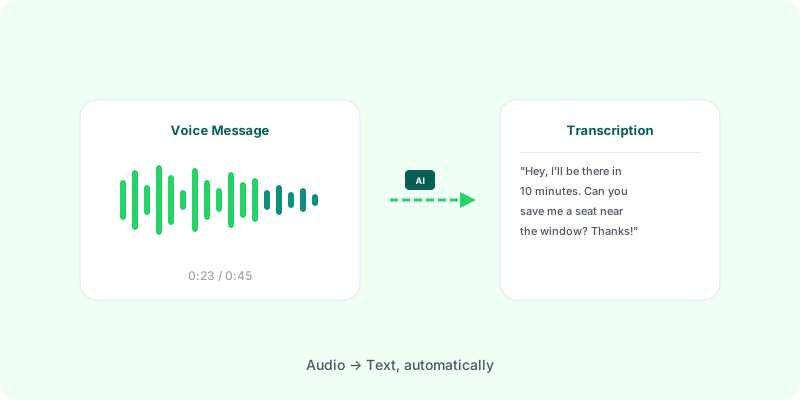
“Speech Services by Google is required” — what the error means #
If you’ve opened a WhatsApp voice message on Android and tapped Transcribe, you may have hit one of these messages:
“Speech Services by Google is required for WhatsApp to transcribe voice messages” “Install Speech Services by Google” “Transcript unavailable” “Your language is not supported”
Those errors come from the fact that WhatsApp’s built-in transcription on Android doesn’t actually transcribe on its own. It delegates the work to a system component called Speech Services by Google — and if that component isn’t installed, isn’t the right version, or doesn’t have your language pack, WhatsApp throws up the error.
What Speech Services by Google actually is #
Speech Services by Google is an Android app published by Google that provides on-device speech-to-text for other apps. Google Keyboard (Gboard), Google Assistant, and now WhatsApp all call into it to turn audio into text.
It’s usually pre-installed on:
- Pixel phones
- Samsung Galaxy devices (recent models)
- Most Android phones sold with Google Play Services
It’s missing or unusable on:
- Huawei phones without Google services (HarmonyOS, EMUI post-2019)
- De-Googled Android (GrapheneOS, /e/OS, LineageOS without MicroG)
- Some Android builds shipped in China and Russia
- Older Android versions (Android 11 and below may not have a compatible version)
- Phones where the user disabled or uninstalled the Google app stack
Fixes to try first #
Before giving up, try these in order:
1. Install or update Speech Services by Google #
Open the Play Store and search for Speech Services by Google (the one published by Google LLC). Tap Install or Update if it’s already there. If the Play Store says “not available for your device”, skip to step 5.
2. Check your WhatsApp version #
WhatsApp added voice transcription in version 2.24.17.77 (Android). Open WhatsApp → Settings → Help → App info and confirm you’re on 2.24.17.77 or newer. If not, update via the Play Store.
3. Download your language pack #
Transcription runs offline using per-language models that aren’t always pre-downloaded:
- Open Android Settings → System → Languages & input → On-device speech recognition
- Tap your language
- Tap Install and wait for the download (200–800 MB depending on language)
- Reopen WhatsApp and retry
If your language isn’t in the list, it’s not supported by Speech Services. You’d need a server-side alternative.
4. Force-stop and clear cache #
Settings → Apps → Speech Services by Google → Storage → Clear cache. Sometimes the engine gets stuck. Don’t clear data — that wipes your downloaded language packs.
5. Restart the phone #
Sometimes the transcription service only picks up new installs after a reboot.
6. Check if Speech Services can even be installed #
If the Play Store says the app isn’t available, you’re almost certainly on a device without Google Mobile Services (Huawei, HarmonyOS, custom ROM, some Chinese or Russian-market phones). There’s no way to install it without re-flashing GMS — which voids most warranties and isn’t worth the hassle for a single feature.
If none of the above works #
At that point, you’re looking at one of three situations:
- Your phone genuinely can’t run Speech Services by Google
- Your language isn’t supported
- You want the transcript outside the WhatsApp app (searchable, shareable, printable)
All three have the same practical solution: transcribe server-side instead of on-device.
Here’s the flow:
- Export the WhatsApp chat (this works on any phone — see our Android or iPhone guide). You get a
.zipthat includes all voice messages as audio files. - Upload the
.zipto Zap2Doc. Transcription happens on our servers using OpenAI’s Whisper — no Android setup required. - Download a PDF with every voice message transcribed next to the original message, in chronological order.
Because the transcription runs on the server, it doesn’t care what phone you have. Huawei, LineageOS, old Android — it all works the same.
Try it now — upload your WhatsApp export →
Speech Services vs. server-side transcription — quick comparison #
| Speech Services by Google | Zap2Doc (server-side) | |
|---|---|---|
| Requires a specific Android version | Yes (varies by OEM) | No |
| Works on de-Googled Android | No | Yes |
| Languages | Whatever you’ve downloaded | 50+ auto-detected |
| Where the transcript lives | Inside the WhatsApp app | In a PDF you download |
| Survives clearing the chat | No | Yes |
| Searchable across whole conversation | No | Yes |
| Shareable as a document | No | Yes |
| Works on iPhone | N/A — iOS uses a different path | Yes |
| Cost | Free | Paid per conversion |
Why does WhatsApp even depend on Google for this? #
Short answer: running transcription at WhatsApp scale is expensive. Offloading it to Android’s bundled speech engine is free for Meta — but it’s the reason the feature silently doesn’t work for a meaningful slice of users.
Meta has also shipped some transcription on iOS using Apple’s speech APIs, and more recently added on-server transcription in certain regions. Over time the native feature should become more reliable. For right now, if you’re on Android and hitting the “Speech Services by Google required” wall, server-side transcription is the way through.
FAQ #
Does this work on Huawei / HarmonyOS / de-Googled Android?
Yes. Server-side transcription doesn’t care what Android version or app stack you have — as long as you can export a WhatsApp .zip and upload it to a website.
Does this work on iPhone?
Yes. iOS exports a .zip the same way Android does.
What about privacy?
Zap2Doc processes the file, generates the PDF, and deletes the .zip immediately after. The PDF expires 7 days after generation. Full details on our privacy page.
What languages are supported? Over 50, auto-detected per voice message. English, Portuguese, Spanish, French, German, Italian, Hindi, Arabic, Japanese, Chinese, Russian, and dozens more.
What about long voice messages? Up to 60 minutes of audio per order. Voice messages beyond that limit are noted in the PDF without transcription.
For a deeper dive into how voice transcription works under the hood, read our WhatsApp voice transcription guide.