WhatsApp Audio Transcription to PDF: How the Tool Works
Turn a WhatsApp export into one searchable PDF with every voice note transcribed in place: what the tool does, what the output looks like, time and price.
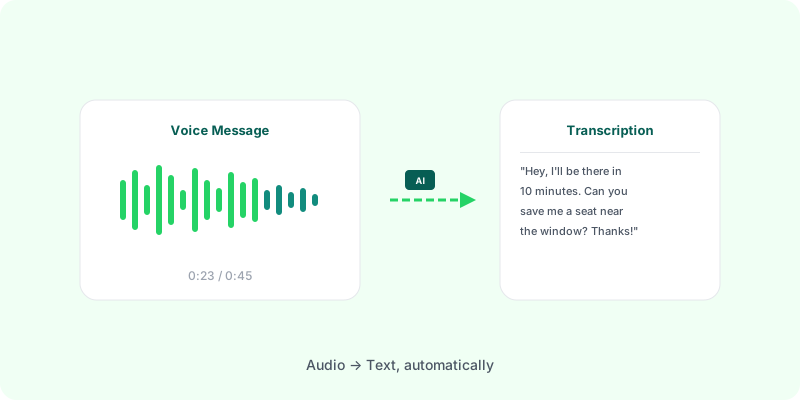
Most tools that convert WhatsApp chats to PDF skip the voice messages entirely — or list them as .opus files you’d have to play manually. That defeats the point of having a searchable document, because in most modern chats anything longer than a sentence gets spoken rather than typed.
What the tool does: you export the chat from WhatsApp as a .zip and upload it. Every voice note is transcribed and written into a single PDF, in place, in the conversation timeline — searchable with Ctrl+F alongside the typed messages, images and attachments.
What it costs: upload and preview are free. Every voice message can be transcribed: $5.99 covers up to 2 hours of audio, and once the audio is measured, longer chats see the exact price to transcribe all of it. Zap2Doc runs the audio through OpenAI’s transcription models.
The rest of this page is the detail behind that: what the output actually looks like, which transcription engine matters and why, how long it takes, and where the audio goes.
Why Voice Transcription Belongs in the PDF #
WhatsApp voice notes are often the most important content in a conversation:
- Agreements and commitments — verbal “yes, I’ll send the money” or “we agreed on Friday”
- Detailed explanations — context that the sender typed too quickly to capture in text
- Names, numbers, addresses — easier to speak than to type on mobile
- Tone and intent — hesitation, agreement, emphasis
If your PDF archive doesn’t capture this, you’re missing whole stretches of the actual conversation — in most modern WhatsApp chats, anything longer than a sentence gets spoken rather than typed. Speaking has become the default for anything longer than a sentence.
What Voice Transcription Looks Like in Practice #
A well-built PDF with transcription places each voice note in the conversation flow, with the transcribed text right below the audio entry:
[14:32] Maria: I'm sending the documents tomorrow morning
[14:33] Maria (Voice 1:24): "Hi, just a quick update — the contract is
        signed, I'm sending it to your email by 9 AM Friday. The
        delivery date is the 28th, not the 25th like we said before,
        because of the holiday. Let me know if that's a problem."
[14:35] You: Got it, no problem with the 28th
This way, the conversation reads top-to-bottom as one document. You can search for “Friday” or “contract” or “28th” and find every mention, whether it was typed or spoken.
What Transcription Engine Should You Use? #
For WhatsApp voice messages, the realistic options are:
- OpenAI’s transcription models — the current state of the art for short-form multilingual audio. Auto-detects 50+ languages. Handles noisy phone audio reasonably well. This is what Zap2Doc uses.
- Google Speech-to-Text — accurate but requires you to specify the language upfront. Not great for multilingual chats.
- Deepgram Nova-3 — competitive accuracy with word-level timestamps. Used by some commercial tools.
- AssemblyAI — solid for English, weaker for non-English.
For WhatsApp specifically, automatic language detection matters: most real chats switch languages or mix in slang/code-switching, and OpenAI’s transcription handles that without you having to configure anything.
How Long Does Transcription Take? #
For a typical WhatsApp chat with 30-60 minutes of total voice notes, transcription takes about 2-5 minutes end-to-end. That includes:
- Extracting
.opusaudio files from the.zipexport - Sending each file to the transcription engine
- Stitching the transcripts back into the chat timeline
- Generating the final PDF
Some tools do this on demand (you wait while it runs); others do it asynchronously and email you when it’s done. Either way, expect a few minutes for an average conversation.
Language Detection: Why It Matters #
WhatsApp doesn’t tag voice messages with the spoken language. The transcription tool has to figure it out from the audio itself.
For monolingual chats (everyone speaks the same language), this is straightforward. For mixed-language conversations — common in business chats, family groups, or multilingual regions — automatic detection per-message is the only thing that works.
OpenAI’s transcription does this well. Tools that require you to set “the chat language” upfront fail here.
What About Audio Quality? #
WhatsApp voice notes are encoded as Opus at low bitrates to keep file sizes small. This is fine for human listening but can challenge older speech engines.
Modern speech models, OpenAI’s included, are trained on similar low-quality audio and handle it well. Expect roughly 90-95% word accuracy on clear voice messages; noticeably lower with heavy background noise, strong accents, or very quiet recordings.
A good PDF tool will still output the transcript even when accuracy is imperfect — partial text is more useful than nothing.
Privacy: Where Does the Audio Go? #
Voice transcription requires sending audio to a server (OpenAI, Deepgram, etc.) — there’s no realistic on-device option that matches the quality.
Look for tools that:
- Delete the audio after transcription (no permanent storage of voice files)
- Use named transcription APIs (OpenAI, Deepgram) rather than opaque “AI engines”
- Don’t train on your data — OpenAI and Deepgram both have policies against training on API-submitted audio
Zap2Doc sends audio to OpenAI’s transcription API and deletes the source files automatically after the PDF is generated.
Putting It Together: One PDF, Fully Searchable #
The end result of a chat-plus-transcription workflow is a single PDF where:
- Every text message is preserved with timestamp and sender
- Every voice message is transcribed inline, in the right place in the timeline
- Every image and attachment is listed (and images rendered inline if it’s a media-heavy chat)
- The whole thing is text-searchable —
Ctrl+Ffinds any word, spoken or typed - Date filters and color schemes make it readable, not just a wall of text
This is what a serious archive of a WhatsApp conversation should look like — and it’s the gap most generic “WhatsApp to PDF” tools leave open. For the conversion step by step, see how to convert a WhatsApp chat to PDF.
FAQ #
Is there a tool that transcribes WhatsApp voice notes straight into a PDF?
Yes — that’s what this page describes. You export the chat as a .zip and upload it; every voice note comes back transcribed and placed inline in the conversation timeline of one searchable PDF. No manual typing, no separate transcription app, and no playing .opus files one by one.
Do I have to pay before seeing whether the transcription is any good? No. Upload and preview are free. Before paying, Zap2Doc measures the audio and shows the available transcription choices. Every voice message can be transcribed: up to 2 hours of audio is the base price, and for longer chats the preview shows the exact price to transcribe all of it.
Does it handle chats that mix languages? Yes. OpenAI’s transcription detects the language per voice message rather than per chat, so a conversation that switches languages mid-thread still transcribes correctly.
How long does it take? About 2-5 minutes end to end for a chat with 30-60 minutes of total voice notes.
What happens to my audio? It goes to OpenAI’s transcription API for transcription, and the source files are deleted automatically once the PDF is generated. The finished PDF expires 7 days after generation — details on our privacy page.
Try It #
Export your chat from WhatsApp (Contact/Group Info → Export Chat → include media → save the .zip), then run it through Zap2Doc. Every voice message is transcribed: $5.99 covers up to 2 hours of audio, and the preview measures longer chats and shows the exact price before you pay.