Organizing WhatsApp Chats for Lawyers: Case-Review Workflow
A workflow for lawyers to organize WhatsApp exports: keep the original ZIP, build a chronological PDF, transcribe voice notes and review the full context.
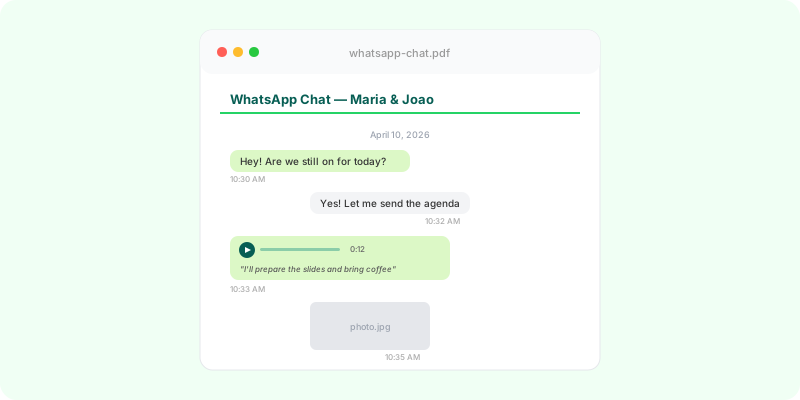
When a WhatsApp chat reaches a law firm, it rarely arrives ready to review. The intake may include hundreds of screenshots, voice notes no one has listened to, images detached from the messages that explain them, and a client trying to reconstruct the sequence from memory.
The first benefit of organization is operational. A chronological conversation with participants, dates, times, images, and transcribed voice notes makes it faster to understand the account, spot gaps, and ask the client focused questions.
This is a workflow for organizing digital material for case review. It does not replace a lawyer’s assessment of preservation, authenticity, notarization, forensic examination, or the appropriate procedure for a particular matter.
Why screenshots slow down case intake #
Screenshots can be useful to highlight a specific message. They are a poor primary working file:
- The sequence between two screens is unclear.
- Dates and context can disappear from the capture.
- Voice notes become an icon and a duration rather than searchable text.
- Images and documents are disconnected from the dialogue around them.
- Someone on the team has to rebuild the timeline before legal work can start.
The goal is not to make a selective version of the chat. It is to create a continuous, readable view of the material received, then decide what needs closer attention.
Start with the source export #
Ask the client to use WhatsApp’s native Export Chat feature and choose Include Media. The resulting .zip normally contains the text history, images, videos, voice notes, and documents in their original file formats.
Keep that .zip as the source file and keep the reading version alongside it. Record when the client exported it and when the firm received it. If the client exports the same chat again later, save it as a new dated version rather than replacing the first file.
For instructions, share the relevant guide: Android or iPhone.
A practical review workflow #
1. Define the period to review #
Start with a continuous timeframe: for example, from the first contact about an agreement through the most recent exchange. This is different from asking a client to send only the messages they believe help their position.
List the questions that guide the review: who the participants are, which dates matter, what attachments are referenced, and which parts of the narrative need confirmation.
2. Preserve the export and separate related files #
Store the source ZIP in the case folder with a predictable filename, such as client-matter-whatsapp-export-2026-08-17.zip. Keep contracts, receipts, emails, and other materials separate. They can be considered alongside the conversation, but should not be silently inserted into it.
3. Create a readable version #
The _chat.txt file is difficult to read and does not place media within the dialogue. A useful review PDF should retain:
- messages in chronological order;
- the date, time, and sender of every message;
- images where they appear in the conversation;
- a clear indication of shared files;
- voice-note transcriptions beneath the relevant voice note;
- numbered pages for internal references.
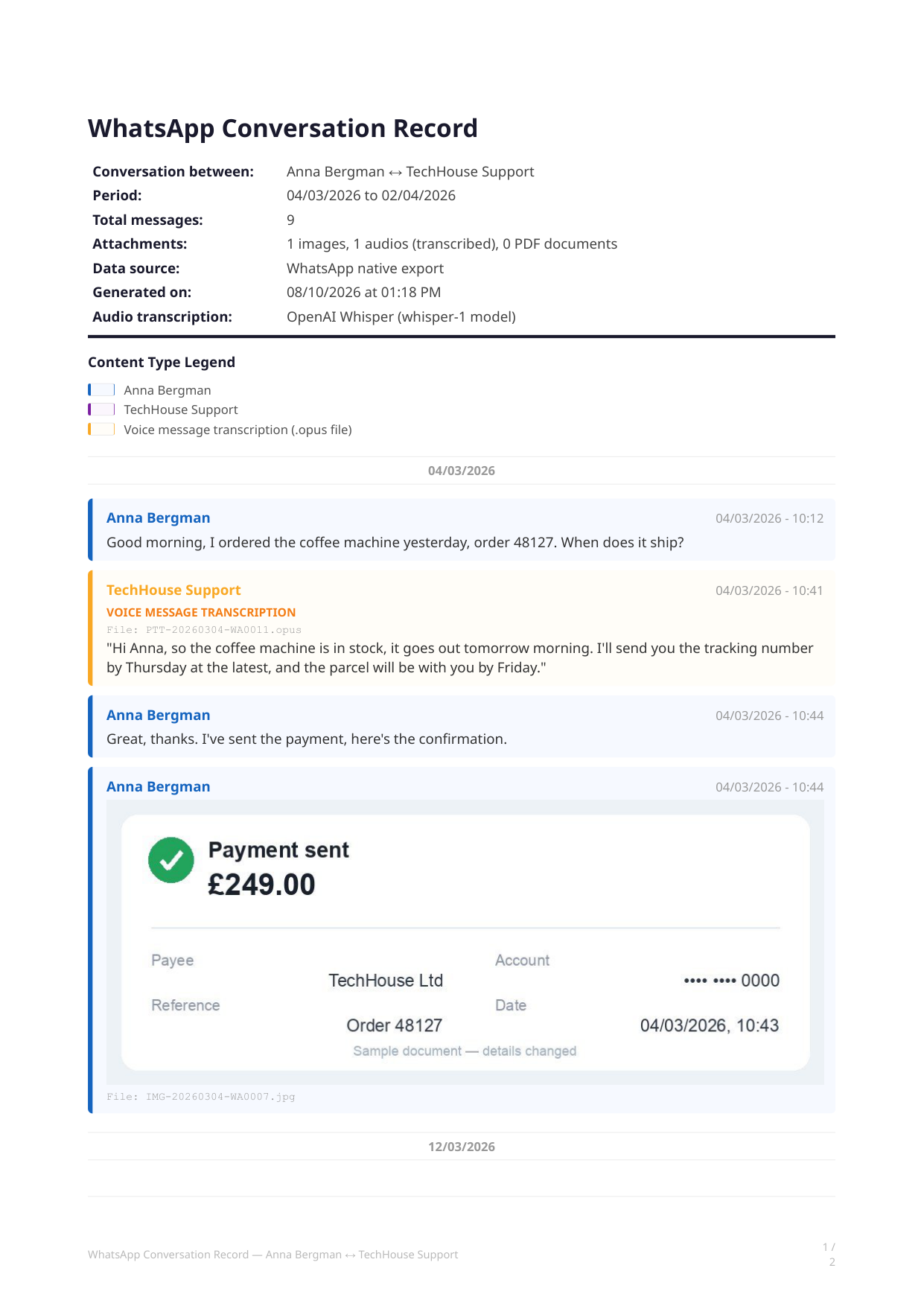
Example page generated from an export. The header identifies the period and participants; the message sequence keeps media and voice-note transcription in context. Names and data have been changed.
4. Review from the PDF, with the ZIP available #
A searchable PDF helps the team locate names, dates, amounts, and recurring terms without switching between dozens of files. It is a practical base for a timeline, an internal case summary, and precise follow-up questions.
The ZIP should remain available for checking the source materials. A transcription makes a voice note easier to read; it does not remove the need to consult the original audio when that matters.
How Zap2Doc helps #
Zap2Doc turns a WhatsApp export ZIP into one searchable PDF. Messages remain chronological, images appear in place, and voice notes are transcribed within the flow of the chat.
Four details matter for case work specifically:
- Figures are reproduced exactly as they were typed — amounts, account numbers, order references, phone numbers. Nothing in the conversation is masked or summarized.
- Dates follow the conversation’s own format. A day-first export is not re-rendered month-first, so 05/06 does not silently change meaning between the chat and the document.
- The cover carries the SHA-256 of the export the PDF was produced from, so a copy can be checked against the file it came from. It is an identifier of that file, not a statement about the file’s origin.
- Emoji are drawn rather than dropped, which matters when a single reaction is the answer to a question.
Most conversations are ready in under a minute; one with hundreds of voice notes takes a few minutes.
For a law-firm intake process, this removes the manual job of arranging screenshots, matching attachments to messages, and listening to each voice note before a first review. Upload the ZIP, check the free preview, and archive the final PDF next to the original export.
Every order also includes the conversation as a Markdown file, if you want to work with it in ChatGPT or Claude.
Keep the limits clear #
Zap2Doc presents the contents of the export supplied to it in a readable format. It does not identify the controller of an account, certify an export’s origin, establish a chain of custody, or replace technical or legal procedures that a matter may require.
That distinction is useful in practice: the PDF makes the conversation easier to review and discuss inside the team, while decisions about how to handle the material remain with the responsible lawyer.
Client intake checklist #
- Export the complete WhatsApp chat with media included.
- Do not edit the ZIP or rename files inside it.
- Send it through the firm’s agreed channel.
- State the export date and the conversation period to review.
- Send contracts, receipts, and other external documents separately.
- Keep the phone and original chat available until advised otherwise.
Generate a free Zap2Doc preview to see how a WhatsApp export becomes a PDF designed for review.
For employment matters, see organising a client’s work chats for an employment dispute.
If the client is preparing the material themselves, point them at how to organize WhatsApp messages as evidence, and at how to print a chat when a hearing needs paper.
To see exactly what the document contains — and what it can’t show — read a WhatsApp chat PDF, explained part by part.