Is It Safe to Upload a WhatsApp Chat Online? What to Check, and What Zap2Doc Does
Before you upload a WhatsApp export to any online tool: what leaves your phone, who processes it, how long it's kept and whether it trains AI. A checklist, and Zap2Doc's answers to each question.
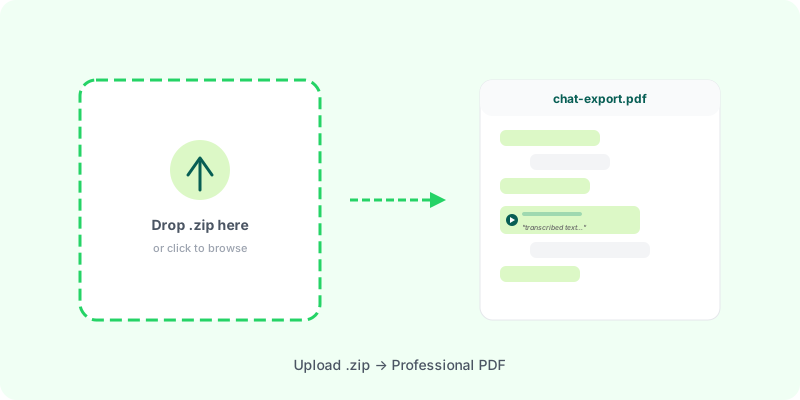
A WhatsApp export is about as private as a file gets: years of messages, photos, voice notes, sometimes other people’s words. Before you upload one to any online tool — ours included — it’s worth knowing exactly what happens to it.
Five questions to ask any tool #
- What leaves your phone? The text only, or the photos, videos and voice notes too?
- Who processes it? The tool’s own servers, and which outside services (transcription, payment, email)?
- How long is it kept? The upload, the finished document, any transcripts.
- Is it used for anything else? Training AI models, advertising, “improving the service”.
- Who can see it? Staff, and anyone who gets hold of the link to the result.
A tool that can’t answer these plainly is telling you something.
Zap2Doc’s answers #
What leaves your phone. The whole .zip. The PDF puts your photos, documents and transcribed voice notes in place, so the files have to reach us. Tools that only read the text in your browser upload less — and also can’t give you a document with the media in it. That’s the honest trade-off.
Who processes it.
- The
.zipgoes to Zap2Doc’s temporary cloud storage and is turned into a PDF on our own servers. - Voice notes are sent to OpenAI’s transcription API — after you pay. Before payment, nothing is transcribed unless you ask for a sample, which sends up to the first minute of one voice note.
- Payment is handled by Stripe or Mercado Pago; we never see card details.
- Email (if you give one) is used to send the download link; product updates only if you opt in.
- Your country is looked up from your IP address on our own server, to show the right price.
How long it’s kept. For the individual converter:
- the
.zipis deleted within 24 hours of processing; - the preview is deleted after payment;
- the PDF is available for 7 days, then deleted automatically;
- transcripts kept to protect a paid order from being re-billed after a failure are deleted once the document is delivered.
Is it used for anything else. No. We don’t use your conversations to train anything or for advertising. OpenAI’s published policy for its API is that data sent through the API isn’t used to train its models by default.
Who can see it. The service runs automatically; we don’t read conversations. The link to your finished PDF is private to your order — treat it like the document itself and don’t share it with anyone who shouldn’t see the conversation.
The full detail, including business accounts, is in the privacy policy.
If you’d rather share less #
There is one real way: when WhatsApp asks, export Without media. Only the text of the chat leaves your phone — no photos, documents or voice notes reach us, and nothing goes to OpenAI. Zap2Doc accepts that export (a .zip on iPhone, a .txt on Android). The trade-off is that the PDF then has the messages and nothing else: no images in place and no transcriptions.
In short #
Uploading a WhatsApp chat is reasonable when the tool tells you what leaves your phone, who touches it and when it’s deleted. With Zap2Doc the whole .zip is uploaded because the PDF needs the media; voice notes go to OpenAI after you pay; the export is gone within 24 hours and the PDF within 7 days. Try the free preview and decide from there.