How to Convert Multiple WhatsApp Chats to PDF at Once
Got a folder full of WhatsApp exports? Zap2Doc Business converts them all in one batch: upload the .zip files, choose what to transcribe, pay once and download the PDFs.
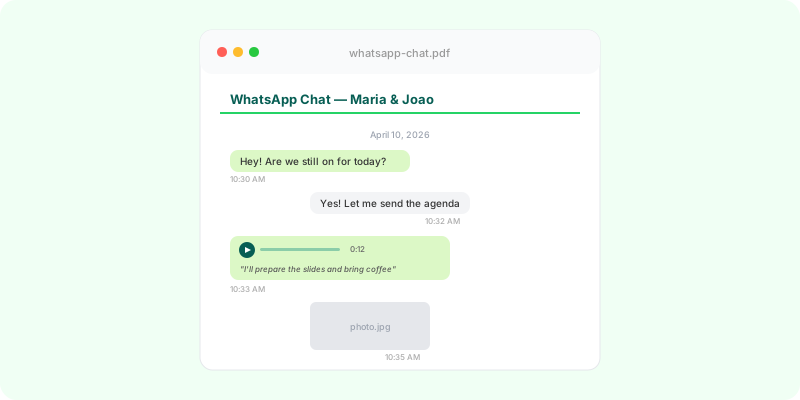
One WhatsApp chat takes two minutes to convert. Forty chats, one at a time, is an entire afternoon: export, upload, wait, pay, download, rename — and again. One of the first requests we received was exactly that: a firm that had already used the site many times and turned up with hundreds of conversations to transcribe.
Zap2Doc Business exists for that case. You upload every .zip at once, the app analyzes each one, you tick what you want converted, pay once and receive one PDF per conversation. Each chat stays its own document; nothing is merged.
What you need before you start #
One .zip per conversation, exported by WhatsApp itself: Export chat, then Include media if you want the photos and voice notes in the PDF. Screenshots and phone backups won’t work — Business reads exports. If you don’t have the files yet, the steps are in the Android and iPhone guides.
Keep the .zip files in a folder of your own. Zap2Doc is not an archive: the export lives there only as long as it takes to generate the PDF.
Sign in without a password #
Open Zap2Doc Business and type your email. You get a single-use access link that is valid for 15 minutes. There is no sign-up form and no password: the same email next time opens the same account, with your batch history.
Upload everything, review line by line #
Click Convert conversations and drag the .zip files in — all of them at once, up to 200 per batch. Each file becomes a row with the conversation’s name and its measured audio duration. While the app analyzes, you can keep uploading.
Under Review conversations and prices you decide two things per row:
- Which conversations go into the payment. Tick them one by one or all at once. Uploading is not buying: you can upload 60 and pay for 20.
- How much audio to transcribe. Standard covers up to 120 minutes per conversation. Full covers all of the audio, and its price depends on how much audio that conversation holds — the app has measured it and shows the figure. A chat with 30 minutes of audio costs the same either way.
The total appears with the quantity discount already applied: 15% from 10 conversations in a payment, 25% from 50. The figures are on the pricing page; how the discount is counted is in the pricing post.
Pay once, download everything #
Payment is by card via Stripe. Once it is confirmed, the batch page shows each conversation’s progress — transcribing audio, generating PDF, download — and you get an email when the whole batch is done.
Download the PDFs one at a time or click Download all available PDFs (.zip) to take the ones that are ready. They stay available for 7 days; the deadline is shown next to each one. Save every PDF in the same folder as the .zip it came from.
When a batch pays off #
From the second conversation in one sitting, for the flow: one sign-in, one review, one payment, one .zip at the end. From the tenth, for the price. For a single chat, the regular converter is still the shortest path.
If the conversations are client conversations and this is going to happen every month, it is worth setting up a routine before the pile grows: how to organize client WhatsApp conversations. If the pile already exists, open Business and start with the batch.