Summarize a WhatsApp Group Chat with Thousands of Messages
Big groups bury decisions under chatter. How to export a busy WhatsApp group, what a useful group summary contains (who is who, what was decided, what's open), and how to keep it checkable.
A group with 30 people and 8,000 messages is where decisions go to hide. The building’s residents’ group, the school parents’ group, a project group with a client: most of it is greetings, jokes and “ok”, and the three messages that matter are somewhere in March.
Export the group #
Open the group, tap its name, then Export chat. Choose Include media if voice notes matter. Any member can export, unless the group uses Advanced chat privacy, which blocks it for everyone (details).
Mind the size cap: the export holds the 10,000 most recent messages with media, 40,000 without (more). For a group that has been running for years, export it now and keep the file.
What a useful group summary contains #
A group summary is not a shorter version of the chat. It answers different questions:
- Who is who. In a group, names alone don’t say much. You want the role each person has in the conversation: the treasurer, the contractor, the teacher.
- What was decided, by whom and when. Not “the group discussed the fence” but “on 14 March, 9 members voted for option B; Carla said she would get two more quotes”.
- What is still open. Questions nobody answered, promises nobody confirmed.
- Where people disagreed, with each side’s position, without picking a winner.
- The timeline, so you can see how one decision led to the next.
And every point should point back to its message. In a group, misattributing a statement is the fastest way to start an argument.
Doing it with Insights #
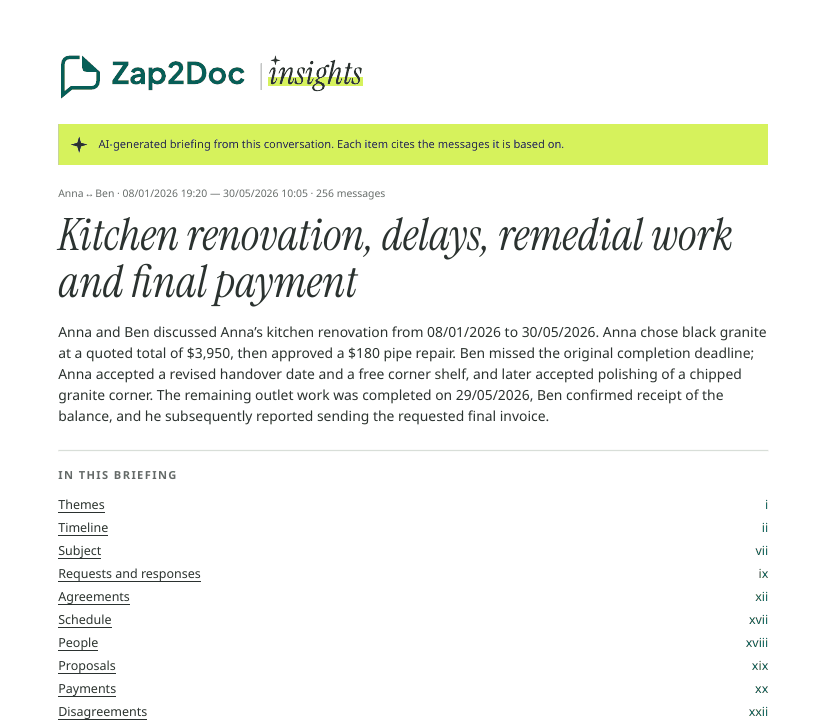
Zap2Doc Insights builds that for a group:
- people: participants and anyone mentioned, with the role the messages show for them;
- themes, timeline, agreements (with status: fulfilled, pending or unclear), payments, disagreements and open points;
- numbers: who writes most, who starts conversations, the busiest days and times.
Each item links to the message in the PDF, and voice notes are transcribed and read too. Pricing goes by size: one Insights unit covers up to 5,000 messages, so a bigger group simply counts more units. You see the price for your own chat in the free preview before paying.
Tips for busy groups #
- Pick the period. If only the last renovation matters, choose that date range in the preview instead of paying for six years.
- Share the briefing, not the chat. Most members want the decisions, not 8,000 messages. The PDF has both: the briefing first, the full conversation after it.
- Respect the group. A group export contains other people’s messages and numbers. Share it only with people who need it.
See a sample Insights PDF, or read how to summarize any WhatsApp chat.