How to Summarize a WhatsApp Chat (Even a Very Long One)
How to turn an exported WhatsApp chat into a cited summary: choose the period, include voice notes, check the source messages and download the PDF with Insights.
A WhatsApp chat that ran for months is hard to reread. You scroll, lose your place, and still can’t say what was agreed, when, or what is still open. A summary fixes that, but only if it covers the whole conversation and you can check it.
Step 1: get the conversation out of WhatsApp #
Export the conversation from the phone, following the guide for your device: Android, iPhone. You get a .zip with a .txt file of the messages and, if you chose Include media, the photos and voice notes.
Two limits matter for a summary:
- Size. WhatsApp exports at most the 10,000 most recent messages with media, or 40,000 without. See WhatsApp export limit.
- Voice notes. Exporting without media drops them entirely. If a lot was said in audio, export with media and have them transcribed.
Create a summary with source messages #
The upload and preview are free. The preview shows conversation statistics and the price. Your own Insights briefing is generated after purchase; you can read the sample PDF before buying.
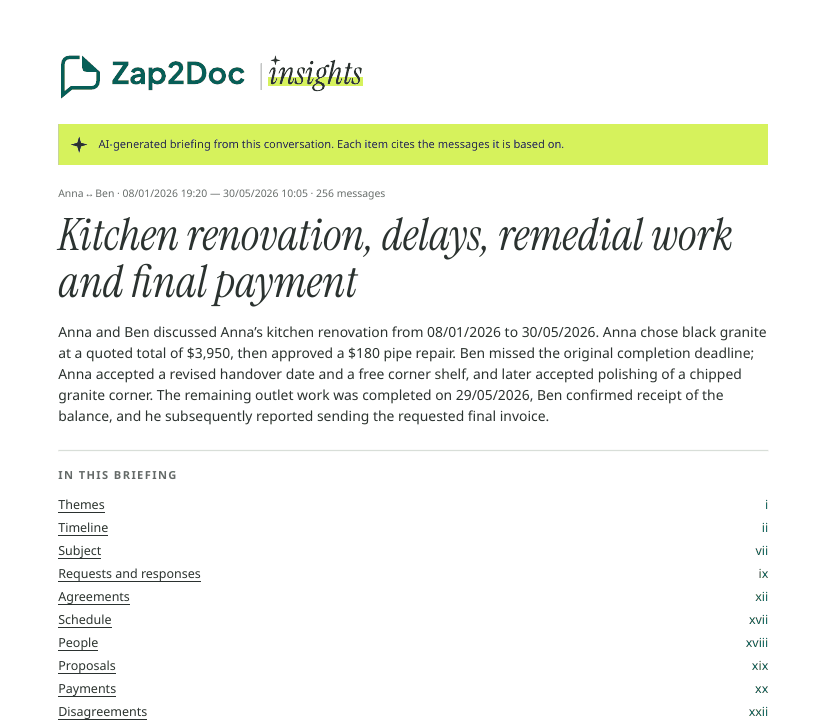
Zap2Doc Insights reads the selected period in your export, including the audio transcripts generated for your order, and writes a briefing at the front of a PDF of the conversation:
- an overview of who talked about what, over what period, and where things stood at the last message;
- themes, each opening with its conclusion;
- a timeline of the key moments;
- agreements with their status, payments as stated, disagreements with each side’s position, and open points.
Every item links to the message it is based on, so one tap takes you to the exact line in the PDF. It is written in the language of the chat and stays neutral: it reports what was said, by whom, and doesn’t decide who is right.
Insights uses the audio transcripts generated for your selected period and transcription offer. Check the included minutes in the preview; audio that is absent or not transcribed cannot contribute its spoken content to the briefing.
Check the summary before sharing #
Open the cited messages for the points you plan to use. Check names, amounts and dates, and distinguish a reported payment from confirmed receipt. The briefing summarizes the selected period present in the export, not messages that WhatsApp left out.
For a busy group, see group summaries. If you only missed a few weeks, follow catching up on unread messages. For counts and reply patterns, use the chat analysis guide.
Upload your chat to see the free preview. Review the period and price before purchasing PDF + Insights. Keep the original export alongside the document.