Catch Up on a WhatsApp Group You Haven't Read in Weeks
Hundreds of unread messages and no idea what you missed? A quick way to catch up on a WhatsApp group: what changed, what was decided, what people are waiting on you for.
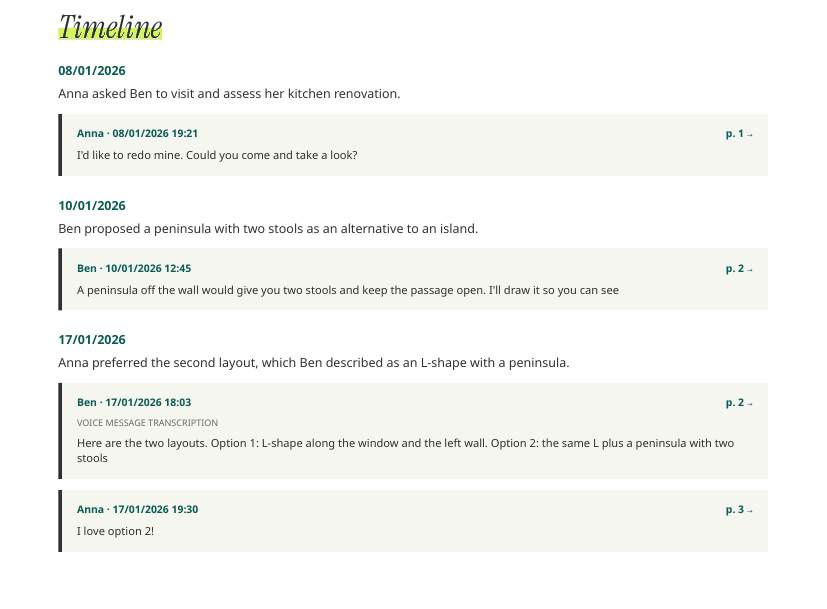
You muted the group, came back three weeks later, and there are 742 unread messages. Somewhere in there someone asked you a question, the date of the event moved, and a decision was made that you’re now part of.
The quick manual pass #
For a few dozen messages, this is enough:
- Search your name. Tap the group name, then Search, and type your name or nickname. Anything addressed to you shows up first.
- Search the usual suspects: “date”, “when”, “deadline”, “pay”, ”?”, and any amount symbol.
- Read the last day in full. That’s where the current state usually is.
- Check pinned messages and the group description. Admins often update them after a decision.
This finds direct mentions. It misses decisions that never used your name, and anything said in voice notes.
When the backlog is too big #
With hundreds of messages, or a group that talks in voice notes, a summary of just the period you missed is faster:
- Export the group with media (Android, iPhone).
- Upload it to Zap2Doc Insights and, in the free preview, set the date range to the weeks you missed.
- After purchasing PDF + Insights, read the briefing: an overview of the period, the timeline of what happened, the agreements reached, and the open points left at the last message, including questions nobody answered.
Every line links to the message it comes from, so if something concerns you, you open it and read the context before replying.
What to look for when you catch up #
- Changes to plans: dates, places, amounts. These often appear as one message buried in a long thread.
- Things people promised. Insights marks each agreement fulfilled, pending or unclear, depending on whether a later message shows it was done.
- Disagreements still running. You’ll want to know where each side stands before you weigh in.
- Questions left hanging. Some of them may be waiting on you.
Groups where you only care about some people #
In a large group you may only need what the organizer or your manager said. Use WhatsApp’s search on their name for a quick look, or read the people section and the numbers in Insights to see who drove the conversation in that period. Each theme’s citations show you whose messages it rests on.
For a bigger picture, see how to summarize a WhatsApp group with thousands of messages.