Insurance Claim: Using WhatsApp Messages, Photos and Voice Notes
Damage photos, the other driver's messages, the repair shop's quote, the broker's promises: much of an insurance claim happens on WhatsApp. How to gather it all, keep the originals, and send it organised.
A burst pipe, a car accident, a stolen bike. Within hours you’ve sent photos to the landlord, messages to the other driver, a video to the repair shop and voice notes to your broker, all on WhatsApp. When the claim gets complicated, all of that is your account of what happened.
Gather every chat involved #
- the other party (other driver, neighbour, landlord);
- the broker or insurer, if you speak to them on WhatsApp;
- the repair shop, plumber or assessor: quotes and reports;
- witnesses or family who were there;
- groups (building, condo, family) where it was reported.
Export each with media (Android, iPhone).
Keep the original photos and videos #
WhatsApp compresses media when it’s sent. Photos you took yourself are in your camera roll at full quality, with their own date and location data; keep those too. Media you received is in the export as WhatsApp delivered it.
Get promises on the record #
Brokers, shops and other parties often say things in calls and voice notes: “it’s covered”, “we’ll pay the excess”, “fixed by Monday”. After any call, send a typed line in the chat: “Thanks. Confirming you said the water damage to the floor is covered and the assessor comes Tuesday.”
Send it organised #
Adjusters see many claims. A clear package is reviewed faster:
- A short timeline: date, what happened, which chat.
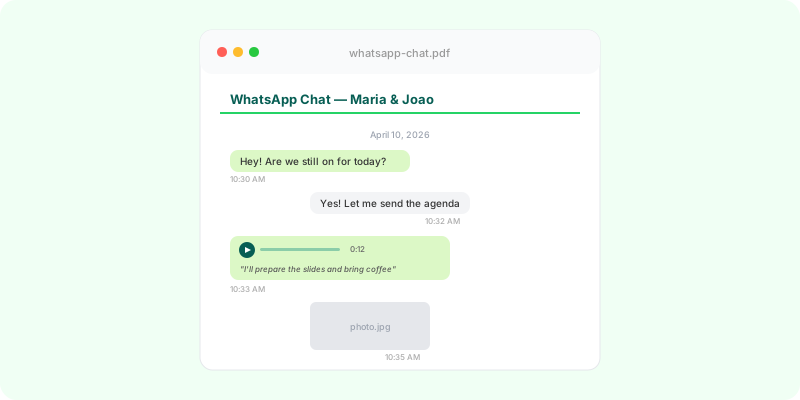
- The relevant chats as documents. Zap2Doc turns each export into a chronological PDF with photos in place, voice notes transcribed and numbered pages. You can limit it to the period of the incident.
- The original photos from your camera roll.
Ask the insurer what format they want. If the claim turns into a dispute, the same package is what you give a lawyer or an ombudsman, depending on your country.