I Exported a WhatsApp Chat and Got a .zip File. Now What?
What's inside a WhatsApp export .zip, how to open it on Windows, Mac, iPhone and Android, how to read _chat.txt and play the .opus voice notes, and how to turn it into a readable PDF.
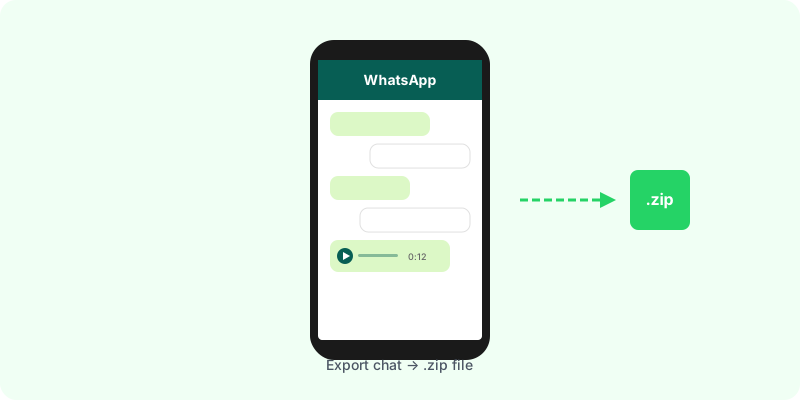
You tapped Export chat, chose to include media, and WhatsApp handed you a file ending in .zip. It is not broken and it is not a backup. It is the whole conversation, packed so it can travel as one attachment.
What is inside the .zip #
Open it and you will find two kinds of file:
- One
.txtfile with every message. On iPhone it is called_chat.txt. On Android it carries the chat’s name, such asWhatsApp Chat with Ana.txt. - One file per attachment. Photos (
.jpg), voice notes (.opus), videos (.mp4), stickers (.webp) and any documents that were sent.
The media names tell you which phone made the export:
| iPhone | Android | |
|---|---|---|
| Photo | 00000045-PHOTO-2026-03-01-14-22-10.jpg | IMG-20260301-WA0003.jpg |
| Voice note | 00000046-AUDIO-2026-03-01-14-23-02.opus | PTT-20260301-WA0004.opus |
| Video | 00000047-VIDEO-2026-03-01-14-25-40.mp4 | VID-20260301-WA0005.mp4 |
How to open it #
- Windows: right-click the file → Extract All. Double-clicking also lets you browse it without extracting.
- Mac: double-click. A folder with the same name appears next to it.
- iPhone: save it to the Files app and tap it once. Files unzips it into a folder.
- Android: open Files by Google (or your phone’s file manager), tap the
.zipand choose Extract.
If the file came to you by email or WhatsApp, save it to your device first. Most preview screens show a .zip as an empty icon.
How to read _chat.txt #
Any text editor opens it: Notepad, TextEdit, or the Files app. Each message is one line with the date, the time, the sender and the text:
[01/03/2026, 14:22:10] Ana: Can you send me the contract?
[01/03/2026, 14:22:10] Ana: <attached: 00000045-PHOTO-2026-03-01-14-22-10.jpg>
Android writes the same thing slightly differently:
01/03/2026, 14:22 - Ana: Can you send me the contract?
01/03/2026, 14:22 - Ana: IMG-20260301-WA0003.jpg (file attached)
The date follows your phone’s region, so 01/03 can be 1 March or 3 January depending on who exported it.
What the text file cannot do is show you the attachments. Where a photo or a voice note was sent, you only get its file name, and you have to find that file in the folder yourself.
How to play the voice notes #
Voice notes are .opus files. VLC plays them on every system, and Chrome or Firefox will play one dragged into a tab. What none of them give you is the words: to read a long voice note, or search for something said in it, it has to be transcribed.
Common problems #
- The
.zipis too big to email. Upload it to a cloud drive and share the link, or export again without media to get the text alone. - Some messages are missing at the start. An export with media carries at most the 10,000 most recent messages; without media, 40,000. Long chats are cut at the beginning.
- There is no
.zip, only a.txt. You exported without media. Export again and choose to include it. - The Export chat option is gone. See WhatsApp “Export Chat” missing or not working.
Turning the .zip into something you can read #
If you need to read the whole conversation, keep it, or show it to someone, the loose folder is the hard part. Zap2Doc takes the .zip exactly as WhatsApp made it and turns it into a chronological PDF. Each photo and video goes back to the moment it was sent, and every voice note is transcribed under its message. You see a free preview before paying, and the file can be up to 3 GB.
For the document workflow, follow how to convert a WhatsApp chat to PDF with images. Keep the original ZIP for upload so the text and media stay together.