WhatsApp Export vs Screenshots: Which to Keep for a Dispute
Screenshots are quick, but they show a few screens, lose voice notes and leave gaps. What a chat export keeps that screenshots don't, when screenshots still help, and how to keep both properly.
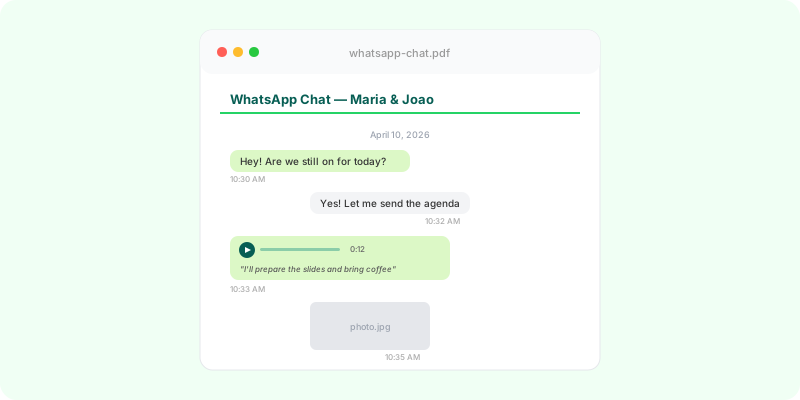
When a conversation turns into a dispute, the reflex is to screenshot it. Screenshots are fine for showing one moment. They’re a poor way to keep a whole conversation, and the gaps are exactly what the other side will point at.
What screenshots do well #
- Instant. No settings, no files to unzip.
- Visual. They show the chat as it looked, with names, ticks and layout.
- Sometimes the only option. A view-once photo you saw, or a chat where export is blocked.
Where screenshots fall short #
- Gaps. Twenty screenshots of a 2,000-message chat leave out almost everything, and nothing shows that a screen was skipped.
- Voice notes are invisible. A screenshot shows a play button, not what was said.
- Photos are thumbnails. The original image, with its full resolution, isn’t in the screenshot.
- Hard to search and quote. It’s an image, not text.
- Easy to question. A screenshot can be cropped or edited, and on its own it shows nothing around the message.
What an export keeps #
A chat export with media gives you:
- every message in the period, in order, with date, time and sender;
- the original photos, videos and documents as files;
- every voice note as an audio file;
- searchable text.
Its limits are worth knowing too: at most the 10,000 most recent messages with media (40,000 without), and no view-once or vanished messages. See WhatsApp export limit.
The sensible approach: keep both #
- Export the chat with media and keep the
.zipunchanged (Android, iPhone). - Screenshot the key moments as well, with the date header visible.
- Keep the phone and the chat. Don’t delete anything.
- Make it readable. Turn the export into a document someone can read and refer to by page.
Zap2Doc does step 4: a chronological PDF with photos in place, voice notes transcribed under each message and numbered pages. You see a free preview before paying. How a court or authority wants material submitted varies; ask a lawyer where you are. More in how to present a WhatsApp chat as evidence.