WhatsApp Chat History for a Spouse Visa: What to Send (UK and Canada)
WhatsApp messages as proof of communication for a UK spouse visa or Canadian spousal sponsorship: how much to send, which pages, translations and the limits.
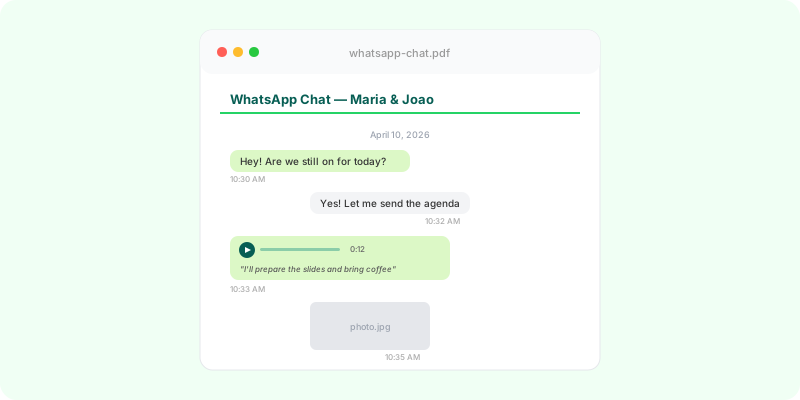
WhatsApp is often where a long-distance relationship actually happens, so it’s natural to use it as proof of communication in a partner visa application. It helps — but only if the pages show the right thing, and only as part of a wider set of evidence. This page isn’t immigration advice; check the current official guidance or an adviser for your case.
What the messages are for #
Communication evidence shows that you’ve been in regular contact across the whole relationship, which matters most when you’ve lived apart. It doesn’t prove a relationship on its own: the decision-maker weighs it alongside time spent together, photos, travel, a shared home or finances. Gaps of weeks or months tend to raise questions; volume doesn’t answer them.
Canada: at most 10 pages #
IRCC’s complete guide for spousal sponsorship (IMM 5289) allows a maximum of 10 pages of proof of communication, and anything not in English or French must be translated. Ten pages means choosing: a page or two from different periods, so the dates show contact running through the whole relationship — not the busiest week.
UK: regular contact, not every message #
The Home Office asks for evidence that the relationship is genuine and subsisting and doesn’t set a page count for messages. What helps is the same idea: a selection that shows ongoing contact across the period you’re describing, with dates and names visible. Documents not in English or Welsh need a certified translation.
Preparing the chat #
- Save your partner under their full name before exporting — the export uses the name saved in your phone, so a nickname like “Babe ❤️” would be printed on every page.
- Export the chat from the phone (Android: ⋮ → More → Export chat; iPhone: tap the name → Export chat). Include media if you talk in voice notes, so they can be transcribed. Guides: Android, iPhone.
- Turn it into a PDF you can pick pages from. Upload the
.zipto Zap2Doc: every message appears in order with date, time and sender, voice notes transcribed in place, and page numbers. The cover states the period covered and the total number of messages — a quick summary of how long and how often you’ve been in touch. See the PDF explained part by part. - Choose the pages — a spread across the months or years — and submit those, keeping the full PDF and the original export yourself in case you’re asked for more.
If your chats aren’t in English, the PDF gives a translator clean, dated text instead of screenshots; Zap2Doc doesn’t translate. The PDF is a presentation of your export, not a certified document.