Need the whole conversation?
For a lawyer, consumer agency or insurer: turn it into one chronological PDF, with every message dated and voice notes transcribed in place.
Check the preview before you decide to buy.
Full PDF from $5.99
- 120–2,000 min of voice notes transcribed · paid once
- Images and video captures included · unlimited messages · + a Markdown file for sharing with ChatGPT & Claude
- More transcription options for longer chats
- Export deleted within 24 h · PDF kept 7 days
 Tech Outlet
 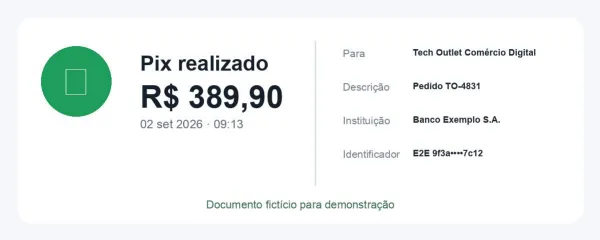 Payment_receipt_TO-4831.pdf
Every message with its sender, date and time. Voice notes transcribed in context. Images shown where they appeared.
Open a full sample PDF →Frequently Asked Questions
What do people use Zap2Doc for?
To document important conversations — agreements, negotiations, client interactions, professional records, or simply preserving memories. Widely used by professionals who communicate via WhatsApp daily.
How do I export a WhatsApp chat?
Open the chat in WhatsApp, tap the menu (⋮ or ⋯), select 'Export chat', and choose 'Include media'. You'll get a .zip file.
What happens to my data?
Your export is processed automatically and deleted within 24 hours. The PDF remains available for 7 days. We don't read your conversations.
What if my chat has audio messages?
Before payment, you choose how much audio to transcribe. Each transcript appears in the PDF where the voice note was sent.
Can I choose a date range?
Yes! After uploading, you can set start and end dates to include only the messages you need.
How long does it take?
Most chats are ready in a few minutes. Chats with many or long voice notes take longer because the audio is transcribed after payment.
From the blog
Guides and tips to organize your conversations
How to Convert a WhatsApp Chat to PDF
Turn any WhatsApp conversation into an organized document with full chronology, images, and automatic audio transcription.
Read more →Export a WhatsApp chat to PDF with images
Turn a WhatsApp ZIP export into a readable PDF with photos beside the messages and voice notes transcribed. Export with media, check the preview and choose your date range.
Read more →WhatsApp Voice Transcripts: Supported Languages
Android's on-device list is a fraction of the iPhone's — German, French and Italian aren't on it. Where the pack lives, and what to do when yours isn't.
Read more →How to Export a WhatsApp Chat on Android
Complete guide to exporting WhatsApp chats on Android devices, with tips for Google Drive backup and managing large files.
Read more →